
Result Caching
Dragging one handle shouldn't rebuild a whole level. With Use Caching on, OctoShaper keeps each node's last result and reruns only the nodes downstream of what changed. It's opt-in, works with interpreted and generated graphs, and costs memory only while it's enabled.
Turn it on
- In a scene: enable Use Caching on the Procedural Graph Executor.
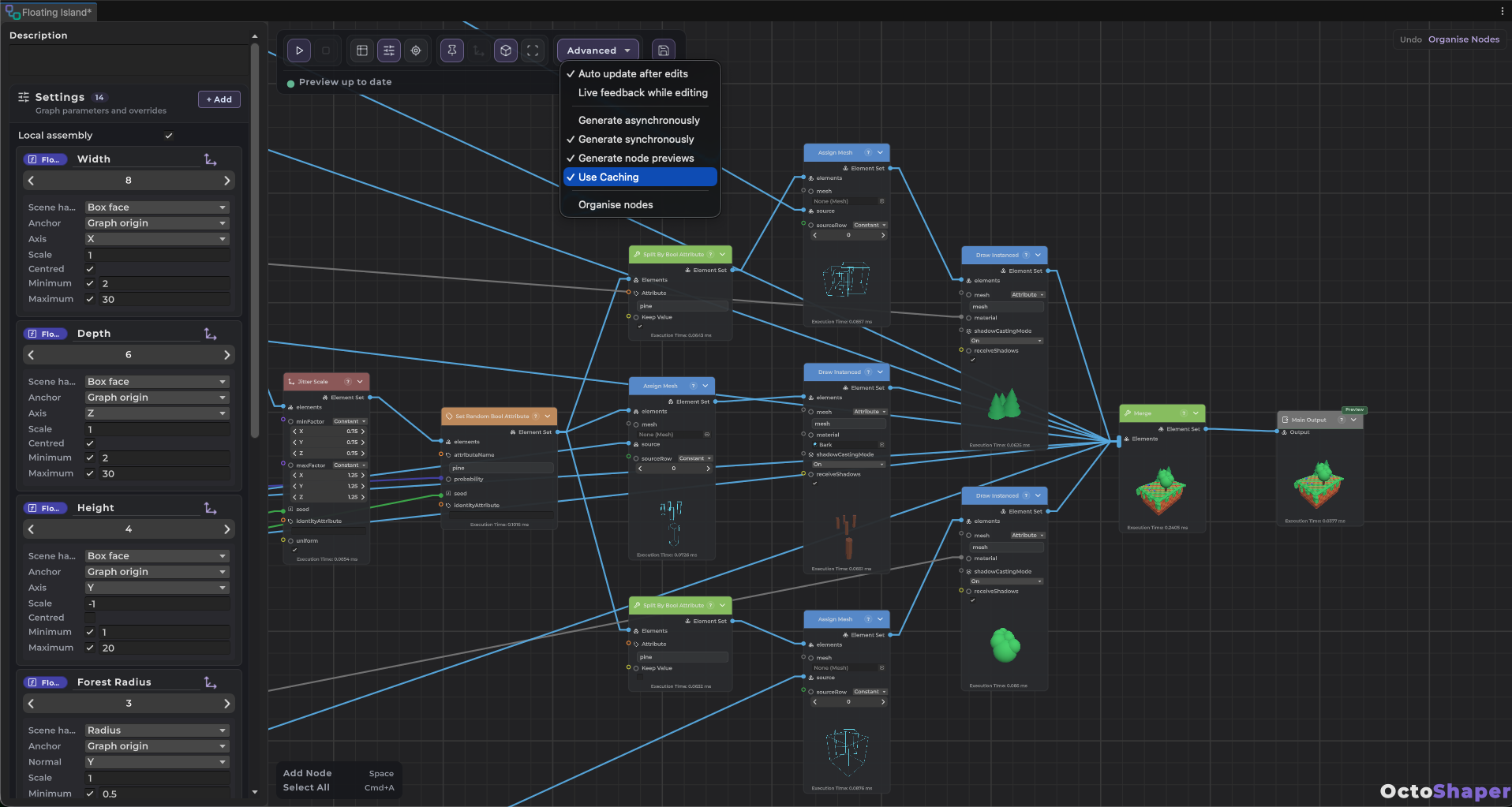
- In the graph window: enable Advanced > Use Caching.
Then change a parameter, the executor's transform or an input. Only the nodes that depend on the change run again. In the graph window, nodes that reused their result are marked cached. Evaluate always reruns the whole graph.
What it costs
The cache keeps a copy of each node's last result, so it uses memory for as long as it's enabled. Turn it on where you regenerate often: while authoring with scene handles, or for runtime content that players tweak. Leave it off for one-shot generation.
What always reruns
- Nodes that query the scene, such as raycasts.
- Custom nodes marked
[NodeVolatile], and everything downstream of them. Use it for methods that read the time, the scene or unseeded randomness. See Creating custom nodes.
Caching follows the graph's own inputs. If you change the contents of an asset the graph reads, such as a texture's pixels, call ClearExecutionCache() on the executor.
From C#
On an executor, set the property:
executor.CacheExecution = true;
executor.TrySetParameterOverride("Height", 12f);
await executor.EvaluateAsync();   // reruns only what Height affects
For data-only execution, register one GraphExecutionCache on every context you run for that graph. Keep it alive between runs and dispose it when you're done.
var cache = new GraphExecutionCache();          // keep this between runs
var graphExecutor = OctoShaperRuntime.CreateExecutor(graph);

using (var context = OctoShaperRuntime.CreateExecutionContext(graph))
{
    context.Services.RegisterService(cache);
    await graphExecutor.ExecuteAsync(context, configuration);
}
Generated executors honour the cache once graph code has been regenerated. See Runtime generation for the rest of the execution API.