
Assemblies and Placement
Most props are easiest to build as if they sat alone at the origin. OctoShaper then stamps the finished result onto every placement it receives, whether that's the executor's transform, points from a parent graph, or a scatter of thousands.
The idea
Each placement row carries a position, rotation and scale. Placing an assembly makes one copy of your origin-authored result per row, moved, rotated and scaled by that row.
Where placements come from
- The executor. Enable Pass Transform data on the Procedural Graph Executor and its transform arrives as a row in Main Input.
- A parent graph. Connect a scatter of points to a subgraph's input, and each point becomes a placement.
- Anything else. Any ElementSet with transforms works, for example points on a spline or a surface.
Option 1: the Local assembly toggle
Turn on Local assembly in the graph settings. While you author, incoming transforms become identity, so you can build around the origin. At output, every result is attached to the original input transforms.
This is the easiest option for a graph that is a prop.
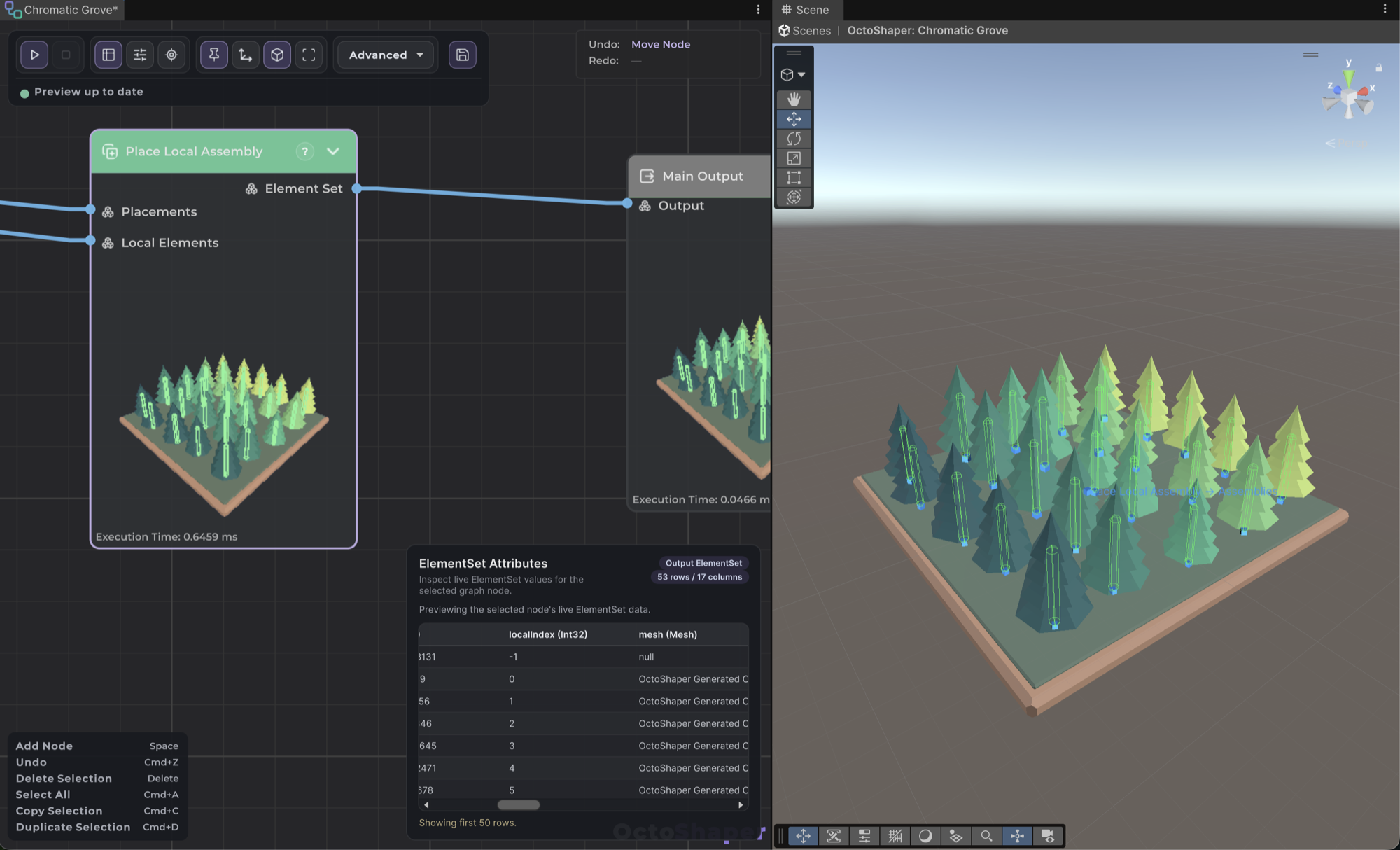
Option 2: Place Local Assembly
Leave the toggle off and add Place Local Assembly:
- Connect Main Input, or any set of transforms, to Placements.
- Connect the finished, origin-authored prop to Local Elements.
- Use the node's output as your result.
Several of the bundled samples are built this way. It lets you keep some branches in world space and others local.
Warning: Don't combine the Local assembly toggle with Place Local Assembly. The placement would be applied twice.
Subgraphs and shared prototypes
Connect subgraph inputs explicitly. When a subgraph builds a shared prototype, such as one barrel reused many times, give it a single origin element so it builds exactly one copy. Then place that copy where you need it.
Building GameObject hierarchies
Prefab and primitive rows can form real Unity hierarchies:
- Create Assembly Roots creates one invisible root per placement.
- Assign Parents appends parent elements and attaches top-level children by
sourceRowIndex, one-to-one, or to a single parent.
Rows with a parentRowIndex store parent-local transforms. Root rows use graph or world coordinates. GPU-instanced rows can't take part in hierarchies. See Rendering and instancing modes.
The older Create Parent Element and Assign Parent Element nodes are legacy. They still work in saved graphs but are hidden from node search.
Handles and handle space
With an executor selected, or its Preview Stage open, the OctoShaper Tools overlay in the Scene view offers OctoShaper Position for Vector3 parameters and OctoShaper Spline for spline parameters. See Context manipulation.
OctoShaper Handle Space decides how those handles map to your graph:
| Mode | Use it when |
|---|---|
| Auto | Default. Handles Local assembly and direct spline distribution for you. |
| World | The value is a world-space position. |
| Input position | The value is an offset from the input position, ignoring its rotation. |
| Input transform | The value lives in the placement's full local space, for example a template placed with Place Local Assembly. |
Changing handle space never changes stored values, and every drag supports Undo.