
Guide
Editor
Node Graph Basics
A ProceduralGraph stores the operations OctoShaper will execute: nodes, typed links, constants, parameters, input requirements, and subgraph references. The data moving through it is an ElementSet.
Graph Editor Overview
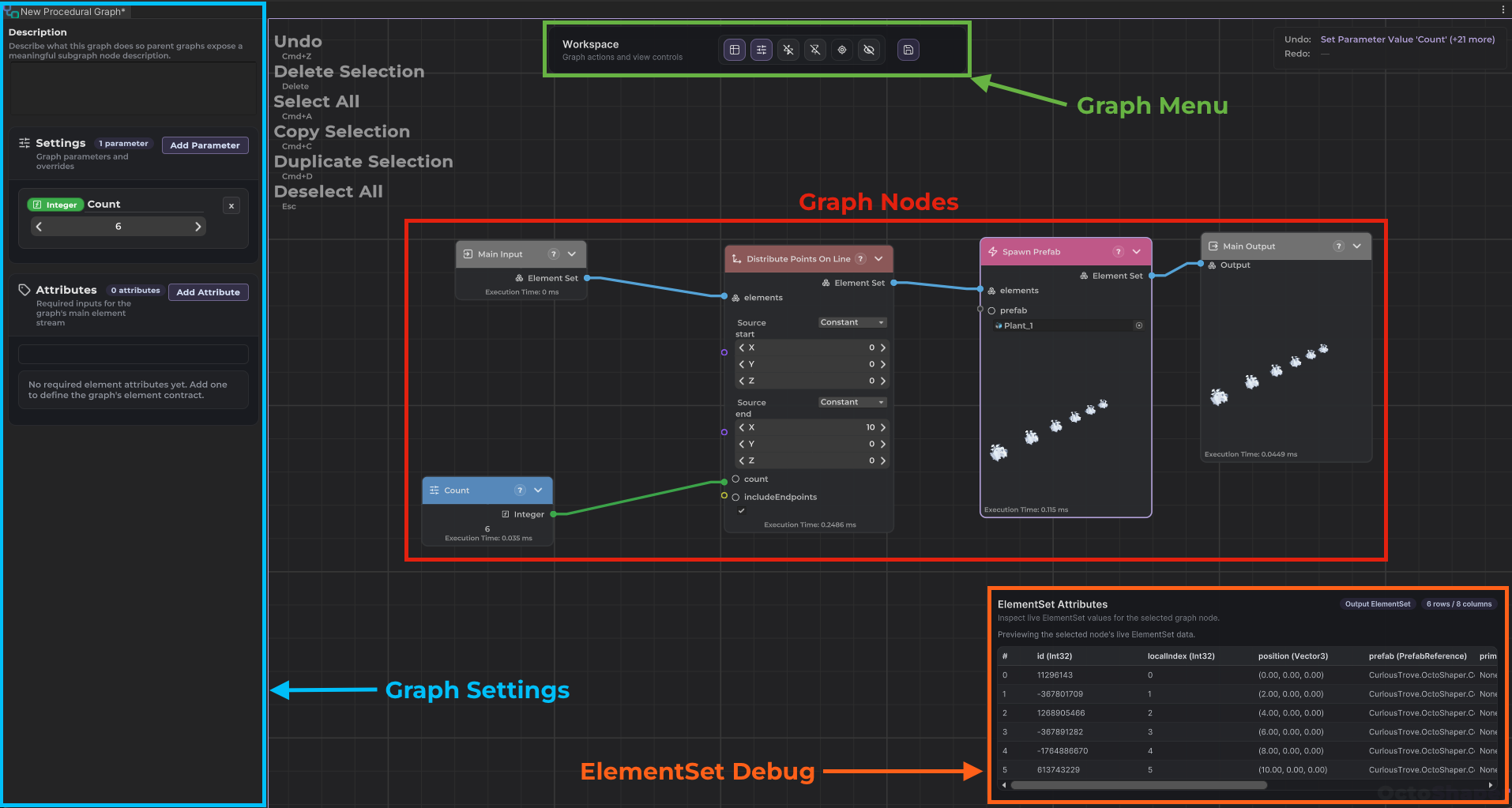
The graph boundary
- Main input and main output are always ElementSet-based.
- Main-input requirements describe which attributes the graph expects up front.
- Main output is the dataset that downstream runtime or import workflows consume.
What a node does
A node is one typed operation. Its incoming links provide values; its outputs become dependencies for later nodes. Use the Node Catalog for individual node behavior.
Ports, links, and execution
- Ports define the type of data that can enter or leave a node.
- Links connect compatible output and input ports.
- The graph executor walks the graph according to those dependencies rather than a hand-authored script order.
Read the graph from boundary to result
Main input
Incoming ElementSet
Required attributes define what each row must already contain.
Graph body
Linked operations
Dependencies determine execution order while parameters steer values.
Main output
Result ElementSet
Runtime or import workflows decide how to consume the result.
Parameters are the user-facing controls
Parameters let designers, importer settings, or runtime systems change a graph without rewiring it. They are controls around the graph, not columns in the ElementSet.
A good rule is to expose parameters for the values you expect to tweak often, and keep the rest of the graph structure focused on reusable logic.
A practical authoring loop
- Create or open a graph asset.
- Build the core ElementSet flow from main input to main output.
- Expose parameters for the values you want to control from outside the graph.
- Test the graph through a scene executor, a procedural prefab import, or both.